Monday, 30 July 2012

Week 3 Reference Images

Claude Lorrain


William Gilpin


Capability Borwn


Humphry Repton


JMW Turner


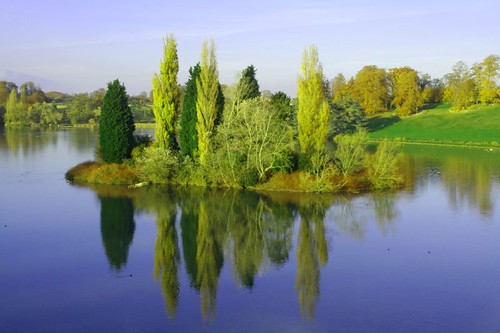
Hangzhou Chinese Gardens


2 Islands + Custom Texture

Configuration: G 4

Island 1: The main island is in the shape of G and there are 4 mountains present on the island.


Island 2: The island is in the shape of a g, where there are 4 mountain peaks on the four corners of the round area.


Custom Texture: Grass

I'm having trouble trying to import the texture into the level. Everytime I attempt to do so, the editor comes up with an error. As a result I have not been able to apply the texture to my island yet :(


Monday, 23 July 2012

Playing Around


5 Landscapes

Alpine Landscape
- Abundance of Green and Blue
- Very Large Trees
- Very "bumpy" terrain
- Presence of small amounts of snow
- Strong lighting

Tropical Landscape
 - Abundance of a darker green and light brown
- Various high standing trees
- Intense lighting
- Rocky terrain partly covered by vegetation

Desert Landscape
 - Complete lack of green and dominance of brown
- Lack of trees and vegetation
- Baroness of the land
- Relatively flat terrain
- Intense lighting

Winter Landscape
- Absolute dominance of white
- Lack of any "dry" colours
- Leafless trees
- Weak lighting
- Vegetation and snow hide the terrain

Hong Kong Landscape
- Dominance of "wet" colours such as blue and green
- Evidence of civilisation
- Bumpy terrain
- Dense forest land
- Soft lighting

Sunday, 22 July 2012

User Interface Panels Overview

1. Ctrl + D - Select Objects Window
2. DB Button - Database view (Contains particles, sounds etc)
3. Open Asset Browser - Browse the various assets in the editor such as textures and brushes
4. FG Buttons - Opens up the Flowgraph Editor
5. CTRL + G - Enter Game mode.

Viewports

1. Hold Right Click and drag to look around.
2. WASD Keys to fly around.
3. Hold Shift in order to fly around faster.
4. Scroll to zoom in and out.
5. Space + Shift hides entity symbols.
6. Enter game mode and move around with WASD keys.

Customizing the Editor

1. Dragging popup windows onto each other allows you to combine them into one window with various tabs.
2. Dragging popup windows to the side icons allows you to make it into a side panel.
3. A majority of tool bars can be turned on and off.
4. You can add comments and create your own tool bars through drag and drop.
5. In customize tool bar, there is an option that shows whether a button or tool has a hot key assigned to it.